

Firmware updates over Wi-Fi
Install a compatible update on your PrintDeck without reconnecting it to a computer.
How it works
Automatic update checks
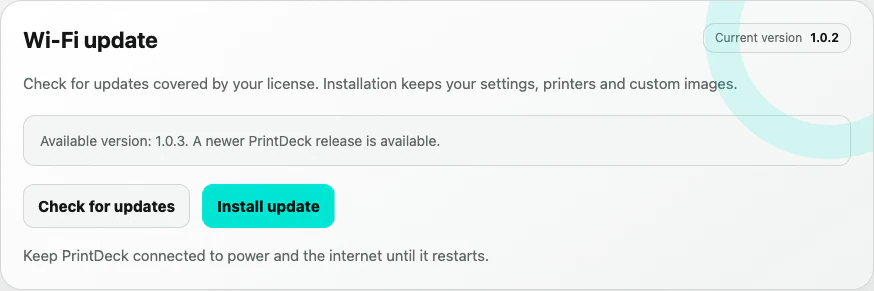
An activated PrintDeck checks for updates in the background every 24 hours while online. After startup it waits at least five minutes before a scheduled check can run. When a compatible version is available, the version line shows the offer. You choose when to install it.
Tap the version on your PrintDeck
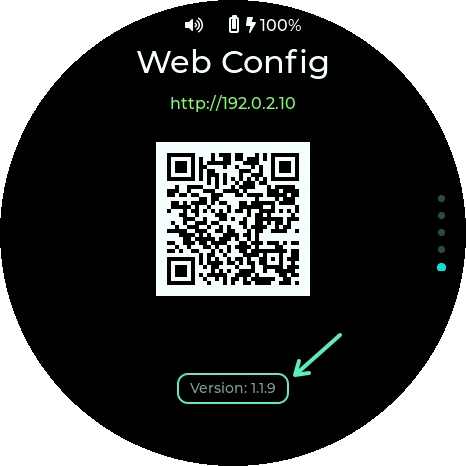
On a touchscreen PrintDeck, open System Details or the Web Config screen with the QR code. Tap the version number near the bottom to check now. If an update is already available, that tap opens its details. In a browser, the same check is under Settings → Firmware in local Web Config.
Install over Wi-Fi
Keep the display connected to power and the internet while it downloads, verifies the update and restarts. A normal Wi-Fi update preserves your printers, settings and custom images. The same check can also offer a separate printer support library update.
 iPhone
 Android