
Turn the model
Drag to rotate and scroll to zoom. On a touch screen, use two fingers to move or zoom in.

Experimental live 3D view
PrintDeck turns the layer outlines from your resin printer into a 3D model you can explore in Web Config.
Open it on your printer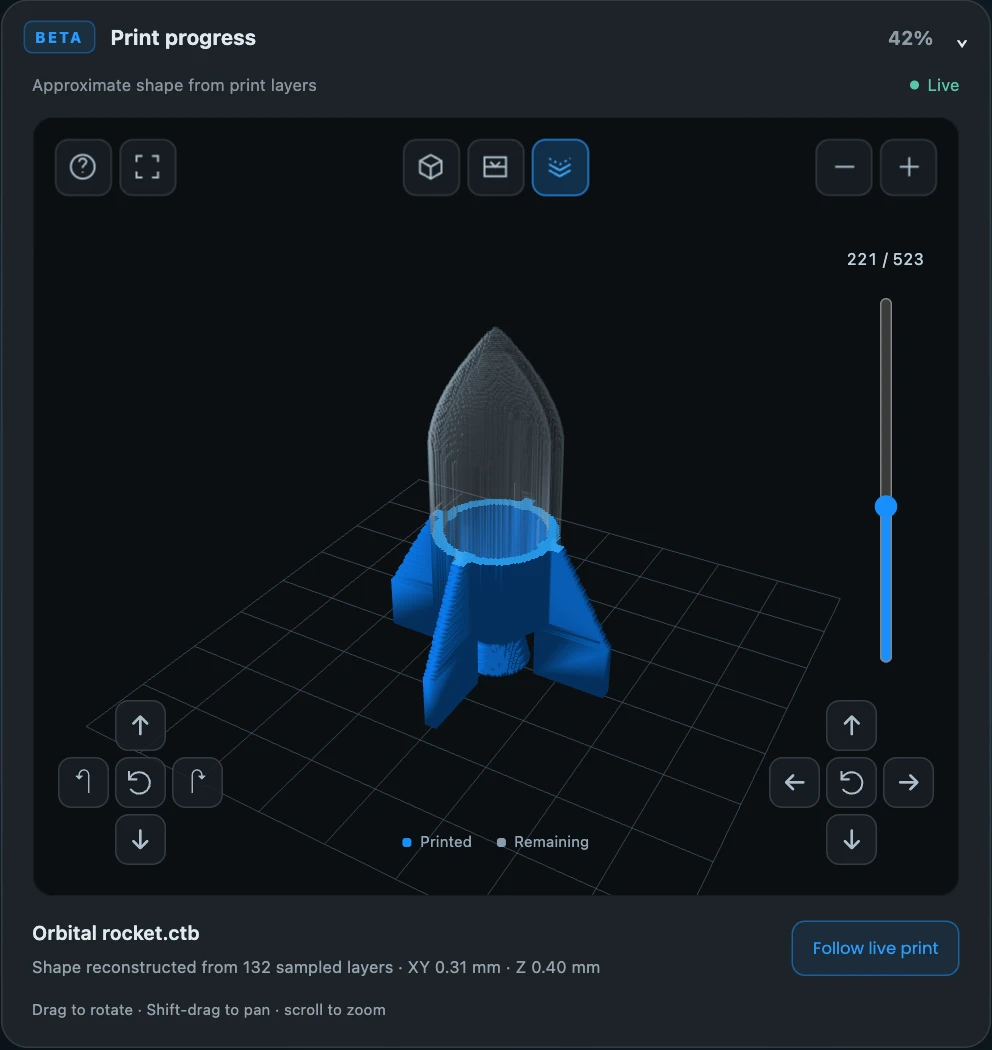
At layer 220 of 523, the blue base of the rocket is already printed. The translucent outline shows the shape its nose will take. As the print advances, each new layer turns blue.
Drag to rotate and scroll to zoom. On a touch screen, use two fingers to move or zoom in.
Move the layer slider to inspect a cross-section. Hide future layers for a clear view of the shape at that height.
Choose Follow live print to return to the layer your printer is reporting. On TinyMaker, more of the shape appears as new outlines arrive.
During a print, select your printer in My Printers, open its details and expand Print progress. The model appears as layer data arrives.
 iPhone
 Android